
8 reasons why ScanCorner is the best
Our standard scanning service includes all the below mentioned services.
1. Manual Scanning
 We scan your images at a very high resolution of 3000 dpi. This allows us to achieve the best results when restoring the images manually.
2. Dust & Scratch Removal
 With the Digital ICE procedure we remove dust and scratches from your slides, negatives and photos and let you see them in a whole new light.
3. Color & Brightness Correction
 After scanning, we process all the images and do color correction on them. This allows the images to appear in their original colors again.
4. Manual Restoration
 The manual processing of the scans is important to achieve the best possible results. No automated method can achieve the excellent results that come from manual processing.
5. Online Gallery & Personalized DVD
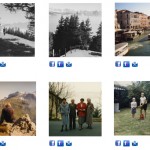 In addition to our handcrafed quality scanning, we offer various add-on services free of cost to make the whole experience simple & convenient to customers.
6. Scanning Equipment
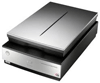 Our equipment used to digitize slides, negatives, films, etc. is of very high quality and achieves outstanding results.
7. No advance payment
 You pay only after we process your images.
8. Secure order process
 You receive update at each stage of process.
Services Included
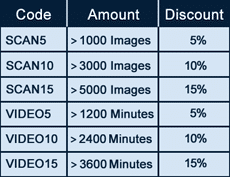
Our Discounts